
[PR] This article contains affiliate links.
If you are traveling to Japan in 2026, the allure of buying electronics is stronger than ever. Thanks to the historically favorable exchange rates and the country’s robust tax-free shopping infrastructure, Japan remains a global hub for tech enthusiasts looking to score a massive deal. Among the most coveted items for inbound tourists and those looking into becoming a Digital Nomad in Japan 2026 | Best Cities Coworking Spaces & Visa Options is the Apple MacBook.
However, buying a MacBook in Japan as a foreigner is not as simple as walking into a store and handing over your passport. There are three massive hurdles you must navigate: the infamous Japanese (JIS) keyboard layout, the shocking 2022 policy change regarding tax-free shopping at official Apple Stores, and the hunt for physical stock in mega-retailers.
This exhaustive, master-level guide will break down everything you need to know about buying a MacBook in Japan in 2026. From calculating your exact tax-free savings and navigating credit card foreign transaction fees, to uncovering the secret Akihabara second-hand shops where pristine MacBooks hide, we leave no stone unturned.
1. The Big Obstacle: JIS (Japanese) vs. US (English) Keyboards
Before you even look at a price tag, you must understand what you are actually buying off the shelf in Japan. By default, 99% of laptops sold in Japanese retail stores feature the JIS (Japanese Industrial Standard) keyboard layout.
If you are accustomed to the standard ANSI layout (used in the US, Canada, Australia, and many other regions), sitting down at a JIS keyboard will feel incredibly alien. While you can easily set the operating system to English and type normally, the physical hardware is different.
What Makes the JIS Keyboard Different?
- The Massive Enter Key: The JIS layout features a large, L-shaped Enter/Return key (similar to the ISO layout used in the UK and Europe), whereas the US layout uses a slim, horizontal bar.
- The Tiny Spacebar: To accommodate Japanese input methods, the spacebar on a JIS MacBook is significantly shorter.
- Extra Input Keys: Directly to the left and right of the spacebar are two keys you won't recognize: the Eisu (英数 - Alphanumeric) key and the Kana (かな - Japanese characters) key. These are used to quickly toggle between English and Japanese typing.
- Relocated Symbols: This is the dealbreaker for most programmers and fast typists. The
@symbol is located on the right side of the keyboard next to thePkey, not onShift + 2. Quotation marks, brackets, and the underscore key are all shifted to different locations.
Should You Buy a JIS Keyboard?
If you are bilingual, studying Japanese, or simply willing to retrain your muscle memory to save hundreds of dollars, the JIS keyboard is perfectly fine. However, if you rely on touch-typing, write code, or just want your laptop to feel like "home," you must hunt for a US Keyboard (英語配列 / Eigo Hairetsu).
Finding a US keyboard in Japan is entirely possible, but it completely changes where and how you shop, which brings us to the most critical update for 2026 shoppers.
2. The 2026 Apple Store Tax-Free Reality Check
If you are reading older travel blogs, they will tell you to take your passport to the Apple Store in Ginza, show them your tourist visa, and get a tax-free US-keyboard MacBook. This information is outdated and incorrect.
Apple Stores No Longer Offer Tax-Free Shopping
In June 2022, Apple quietly but permanently suspended tax-free shopping for tourists at all official Apple retail stores in Japan. This was largely due to widespread abuse by organized reseller groups who were buying iPhones and MacBooks in bulk to flip overseas. As of 2026, this ban is still firmly in effect.
What this means for you:
- If you buy a MacBook at a physical Apple Store in Japan, you must pay the 10% Japanese consumption tax, regardless of your tourist status.
- Even with the 10% tax, the weak yen might still make an Apple Store purchase cheaper than buying the same machine in Europe, the UK, or parts of the US. You will need to calculate the exact conversion rate on the day of your purchase.
The Retailer Loophole: Tax-Free at Electronics Stores
While official Apple Stores stopped offering tax-free, authorized third-party mega-retailers—like Bic Camera, Yodobashi Camera, Yamada Denki, and Edion—still happily offer the 10% tax-free exemption to tourists.
But there is a massive catch: These retailers almost exclusively stock JIS keyboards.
US keyboard MacBooks are considered "CTO" (Custom To Order) in Japan. If you walk into Yodobashi Camera and ask for a US keyboard, they will usually tell you it takes 2 to 3 weeks to arrive from the factory—impossible for a tourist on a 10-day trip.
Your Three Options for 2026
To get a US keyboard MacBook in Japan, you have three paths:
- The Apple Store Path: Guaranteed US keyboard stock, but NO tax-free discount.
- The Mega-Retailer Hunt: Tax-free available, but finding a US keyboard requires hunting down leftover CTO stock at specific flagship stores.
- The Second-Hand Route: Tax-free available, heavily discounted, requires searching used tech stores like Janpara or Iosys for pristine used US models.
Let's break down exactly where to go for each of these options.
3. Where to Buy Brand New: The Mega-Retailer Hunt (Tax-Free Available)
If you are absolutely determined to get the 10% tax-free discount on a brand-new US keyboard MacBook, you must visit the largest electronics stores in Tokyo or Osaka. Smaller branches will not carry CTO (Custom To Order) stock.
Pro Tip: Before heading out, make sure you know how you plan to pay. Many tourists get hit with hidden dynamic currency conversion fees. Read up on Cash vs Card in Japan 2026: How Much Cash Do You Need? to ensure your credit card doesn't eat up your tax-free savings with foreign transaction fees.
Furthermore, many of these retailers offer an additional 5% discount for tourists using specific coupons. You can often find these by checking resources like the 7 Best Free Klook Shopping Coupons for Japan in 2026. Combine a 5% discount with a 10% tax exemption, and you are saving 15% off the retail price!
Here are the specific locations most likely to have US keyboard MacBooks in stock behind the counter.
Location 1: Bic Camera Shinjuku East Exit (Bicqlo Building)
This colossal store is one of the highest-volume electronics retailers in Japan. Because it sees thousands of foreign tourists daily, their Apple section often preemptively orders standard configurations (like the base MacBook Air M3 or MacBook Pro M4) with US keyboards.
- How to ask: Go to the Apple counter and say, "Do you have any MacBooks with a US Keyboard in stock?" (Japanese: US key-bo-do no Mac wa arimasu ka?)
- The Stock Reality: They usually only carry Space Gray or Silver base models in US layouts. If you want 1TB of storage or 24GB of RAM with a US keyboard, they will not have it in stock.
- Access: A 3-minute walk from Shinjuku Station's Central East Exit. Easiest to reach via the Yamanote Line.
- Operating Hours: 10:00 AM – 10:00 PM (Daily)
Location 2: Yodobashi Camera Multimedia Akiba
Akihabara is the mecca of electronics, and this Yodobashi Camera is the crown jewel. It spans multiple floors, with a massive authorized Apple shop on the ground floor.
If you are staying nearby—perhaps at one of the Best Hotels Near Akihabara 2026 | Value Location Convenience—this should be your first stop. Like Bic Camera, they occasionally stock CTO US keyboard models for tourists, but stock fluctuates wildly depending on the day of the week.
- Access: Directly connected to JR Akihabara Station (Showa-dori Exit).
- Operating Hours: 9:30 AM – 10:00 PM (Daily)
Tip: After securing your MacBook here, celebrate with a great meal nearby. Check out our guide to the Best Restaurants in Akihabara 2026 | Must-Try After Anime Shopping.
4. Where to Buy Brand New: Official Apple Stores (No Tax-Free, Guaranteed Stock)
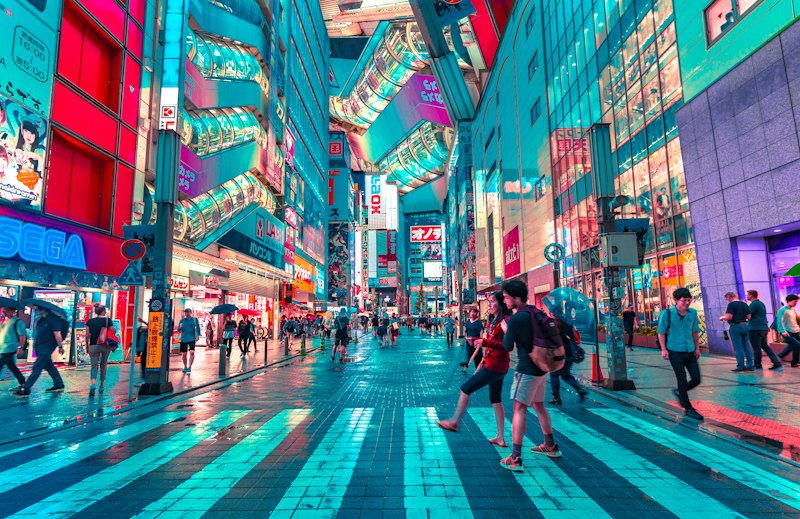
If wandering between Bic Cameras and being told "Sold Out" sounds exhausting, your stress-free option is the official Apple Store.
While you won't get the 10% tax-free discount, you will get guaranteed US keyboard stock. Apple Stores in Japan keep an impressive backroom inventory of US layouts for almost every standard configuration. Furthermore, because Apple fixes their retail prices in JPY, a weak yen means you are still getting a hefty discount compared to your home country.
How to check stock before you go: Download the "Apple Store" app on your iPhone. Change your region to Japan (you may need to tweak your Apple ID settings temporarily or just use the Japanese Apple website in a browser). Configure the MacBook you want, select "US Keyboard," and tap "Check availability at other stores." This will show you exactly which Tokyo/Osaka stores have it ready for pickup today.
Here are the best, most tourist-friendly Apple Stores to visit.
Location 3: Apple Marunouchi (Tokyo Station)
Apple Marunouchi is Apple's largest store in Japan. Located right across from the historic Tokyo Station, it is incredibly easy to access and features a massive team of multilingual staff. If any store in Japan has your exact, highly-specific US keyboard configuration (like a 16-inch M4 Max with 64GB RAM), it is this one.
- Access: A 2-minute walk from Tokyo Station (Marunouchi South Exit). Accessible via almost every major train line in Tokyo.
- Operating Hours: 10:00 AM – 9:00 PM (Daily)
Location 4: Apple Shinjuku
Located on the ground floor of the Shinjuku Marui Main Building, this store features a sleek, massive glass storefront. It is usually incredibly busy, so booking a shopping session appointment via the Apple app is highly recommended to avoid standing around waiting for a specialist.
- Access: A 3-minute walk from Shinjuku Station (East Exit). Directly across from the Shinjuku Wald 9 cinema.
- Operating Hours: 10:00 AM – 9:00 PM (Daily)
Location 5: Apple Shinsaibashi (Osaka)
If your itinerary is focused on the Kansai region, Apple Shinsaibashi is your primary hub. Situated on the luxury shopping street of Midosuji, it is a multi-story flagship store. Because Osaka gets immense tourist traffic, their US keyboard stock is consistently replenished.
- Access: A 1-minute walk from Shinsaibashi Station (Midosuji Line, Exit 7).
- Operating Hours: 10:00 AM – 9:00 PM (Daily)
5. The Secret Weapon: Buying Second-Hand MacBooks in Japan
If you want the absolute best value—combining heavily discounted prices, pristine condition, AND the 10% tax-free exemption—you should buy a second-hand MacBook in Japan.
Why Buy Used in Japan?
The second-hand market in Japan is legendary. Japanese consumers are famously meticulous about caring for their electronics. A "Rank B" (Good condition) laptop in Japan would often be considered "Mint" or "Like New" in the West.
Furthermore, many professional Japanese programmers and creators specifically order US keyboard MacBooks from Apple. When they upgrade, they sell their old US keyboard Macs to used shops in Akihabara. This creates a hidden treasure trove of used US keyboard MacBooks just waiting for tourists.
How to Read the Used Tags
When browsing used shops, the display cards will be entirely in Japanese. Look for these specific keywords:
- USキーボード (US Keyboard) or 英語配列 (English Layout) – This is what you want!
- JIS or 日本語配列 – Avoid this (Japanese Layout).
- ランク A (Rank A) – Flawless, barely used.
- ランク B (Rank B) – Minor micro-scratches, perfectly functional.
- ランク C (Rank C) – Noticeable wear, but fully operational (great budget option).
- 免税 (Menzei) – Tax-Free!
Here are the top shops in Tokyo to hunt for used US MacBooks. Before bouncing around town to these shops, make sure your IC card is topped up. Confused about transit cards? See What is the Best IC Card for Tourists in Japan 2026? | Suica vs Pasmo vs ICOCA.
Location 6: Janpara Akihabara Store 5 (Mac Specialist)
Janpara is one of Japan's most trusted used electronics chains. While they have dozens of stores, "Store 5" (5号店) in Akihabara specializes specifically in Apple products. The entire first floor is dedicated to used MacBooks and iPads. Look closely at the tags—they almost always have a small section dedicated to US keyboard variants. They offer seamless tax-free checkout.
- Access: A 5-minute walk from JR Akihabara Station (Electric Town Exit), located on Chuo-dori avenue.
- Operating Hours: 11:00 AM – 8:00 PM (Daily)
Location 7: MacCollection Akiba (by Sofmap)
Sofmap is a subsidiary of Bic Camera, focusing on heavy-duty PC and used goods. MacCollection is their dedicated Apple paradise. It looks and feels like a premium Apple Store, but everything is second-hand or open-box. Because they are a massive corporate entity, their testing and wiping processes are industry-leading, giving you immense peace of mind.
- Access: A 3-minute walk from JR Akihabara Station (Electric Town Exit).
- Operating Hours: 11:00 AM – 8:00 PM (Daily)
Location 8: Iosys Shinjuku West Exit
Iosys is famous for its bright yellow signage and slightly chaotic, treasure-hunt atmosphere. While their Akihabara stores are great, their Shinjuku West Exit store often has excellent hidden stock of professional-grade MacBooks. They do an excellent job labeling the keyboards (JIS vs US) right on the front sticker. They offer tax-free on the spot.
- Access: A 4-minute walk from Shinjuku Station (West Exit).
- Operating Hours: 11:00 AM – 8:00 PM (Daily)
(Looking to order a used machine online before you arrive? It's risky but possible. Check out How to Order From Amazon Japan Before Your Trip and Ship It to Your Hotel (2026 Guide) for logistics).
6. The Tax-Free Logistics: A Step-by-Step Guide
 In stock now on Rakuten¥123,000
If you are buying from Bic Camera, Yodobashi, Janpara, or Iosys, you are eligible for the 10% tax exemption. However, the Japanese government has strict rules. Here is exactly how to ensure you don't mess it up.
Rule 1: You MUST Have a Physical Entry Stamp
When you arrive at Narita, Haneda, or Kansai Airport, you will likely be directed to automated e-gates for immigration. Do not just walk through and leave.
To get tax-free shopping in Japan, the cashier must see the physical "Temporary Visitor" sticker/stamp in your passport showing your entry date. If you use the e-gate, you must seek out an immigration officer immediately after the gate and say "Stamp, please" before leaving the customs area. No physical sticker = No tax-free shopping. Period.
Rule 2: Bring the Physical Passport
Photocopies, digital photos on your phone, or ID cards from your home country will not be accepted. You must have the physical passport that contains your entry stamp with you at the register.
Rule 3: The Electronic Customs Declaration
Since 2023, Japan digitized the tax-free process. The cashier will scan your passport, and the purchase data is sent directly to Japanese Customs. When you leave Japan at the airport, you simply scan your passport at a designated kiosk before security.
Can I Open and Use the MacBook in Japan?
Yes! Unlike cosmetics, snacks, or medicine (which are classified as "Consumables" and sealed in a secure bag until you leave the country, as you've likely seen in the Don Quijote Shopping Guide | Late Night Tax-Free Discounts), MacBooks are classified as "General Goods."
General Goods do not need to be sealed in a tax-free bag. You are legally allowed to take the MacBook out of the box, set it up in your hotel room, and use it at a local cafe during your trip, provided you eventually take the laptop out of Japan when you go home.
(Speaking of cafes, a MacBook purchase pairs well with checking out the Best Matcha Desserts in Tokyo | Top Sweets Shops to sip green tea while setting up your new OS!)
7. Price Comparison Math (2026 Estimates)
To understand exactly how much you are saving, let's look at the math. (Note: Apple adjusts their base JPY prices occasionally, but this reflects the standard 2026 pricing environment).
Example: MacBook Air M3 (Base Model, 8-Core CPU, 8-Core GPU, 8GB RAM, 256GB SSD)
- US Retail Price: $1,099 + US State Sales Tax (let's estimate 8%) = ~$1,186 USD
- Japan Apple Store Price (No Tax-Free): 164,800 JPY. At an exchange rate of 150 JPY to 1 USD, that equals ~$1,098 USD. (You save the equivalent of your home state's sales tax).
- Japan Retailer Price (Tax-Free 10%): 149,818 JPY. At 150 JPY to 1 USD, that equals ~$998 USD.
- Japan Used Price (Tax-Free, Rank A): Around 125,000 JPY. At 150 JPY to 1 USD, that equals ~$833 USD.
Note: By avoiding restaurants and eating cheaply while in Japan, you can easily save enough cash to upgrade your RAM! Read How Much Does Food Cost in Japan? 2026 Konbini vs Restaurant for budget tips.
8. Warranty, Power Plugs, and Final Tips
Before you hand over your credit card, you likely have a few lingering anxieties about buying high-end tech overseas. Let's put those to rest.
The Power Plug (Voltage & Prongs)
Japan uses a two-prong Type A plug (two flat, parallel pins). This is physically identical to the ungrounded US/Canadian plug. More importantly, Apple's power bricks are universal. They are rated for 100V - 240V, 50Hz/60Hz.
- If you are from the US/Canada: You can plug the Japanese MacBook charger directly into your wall at home without an adapter. It works perfectly.
- If you are from the UK/Europe/Australia: The power brick itself will handle your local 220V/240V voltage flawlessly. You simply need a cheap $2 physical prong adapter to change the shape of the plug from Type A to your local wall socket style. (Or, just buy a local Apple USB-C power brick when you get home).
Apple's Global Warranty
Unlike iPhones, which sometimes have regional differences (such as Japan's mandatory shutter sound on cameras, or differing 5G cellular bands), MacBooks are entirely universal.
Apple provides a 1-Year Global Limited Warranty on all MacBooks. If you buy a MacBook in Tokyo and the logic board fails two months later when you are back in New York or London, your local Apple Store will honor the warranty and repair it free of charge.
Adding AppleCare+
You have 30 days from the date of purchase to add AppleCare+ to your machine. You can easily do this through the "System Settings" on the MacBook itself once you set it up. It will prompt you to purchase it using the credit card tied to your Apple ID in your home currency. You do not need to buy it from the Japanese retailer at the point of checkout.
Conclusion: Your 2026 Japan MacBook Strategy
Buying a MacBook in Japan in 2026 is one of the smartest tech purchases a tourist can make, provided you follow the right blueprint.
To recap your ultimate strategy:
- If you are willing to learn the JIS keyboard, walk into any Yodobashi or Bic Camera, claim your 10% tax-free (plus a 5% coupon), and enjoy massive savings.
- If you demand a brand-new US keyboard, you must either hunt for rare CTO stock at mega-stores like Bic Camera Shinjuku to get tax-free, OR sacrifice the tax-free discount for guaranteed inventory at Apple Marunouchi.
- If you want the absolute best deal, grab your passport and head to the second-hand tech mecca of Akihabara. Stores like Janpara and MacCollection offer pristine, tax-free used US MacBooks that will save you hundreds of dollars.
With your entry stamp secured, your IC card loaded, and your Google Maps pointing to the right stores, you are officially ready to hack the Japanese electronics market. Happy hunting!
FAQ
Q: Can I buy a tax-free MacBook at official Apple Stores in Japan?
No. As of mid-2022, Apple permanently suspended tax-free shopping for tourists at all official Japanese Apple Stores. To get the 10% tax exemption, you must shop at third-party mega-retailers or second-hand electronics stores.
Q: Are US keyboard MacBooks easily available in Japan?
Most physical retail stores only stock JIS (Japanese Industrial Standard) keyboards by default. To find a US keyboard, you must hunt for Custom To Order (CTO) stock at mega-retailers like Bic Camera, buy directly from an Apple Store (without tax-free), or shop at specialized used stores in Akihabara.
Q: Will a Japanese MacBook charger work in my home country?
Yes. Apple's power bricks are universal and rated for 100V - 240V. The Japanese charger uses a two-prong Type A plug, which works perfectly in the US and Canada. If you live in Europe or the UK, you simply need a cheap prong adapter for your wall socket.
Q: Is the warranty valid if I buy my MacBook in Japan and take it home?
Yes. MacBooks come with a 1-Year Global Limited Warranty. Your local Apple Store back home will honor the warranty and repair the device if it encounters any issues.
Q: Can I open and use my tax-free MacBook while I am still in Japan?
Yes! Laptops are classified as General Goods under Japanese tax-free rules. Unlike Consumables (such as snacks and cosmetics) which are sealed in a special bag, you can legally unbox and use your MacBook during your trip as long as you take it with you when you leave Japan.